
SSL 인증서
SSL 인증서를 배포하여 웹사이트의 HTTPS 암호화를 활성화하고, 신뢰할 수 있는 신원 인증을 제공하며, 전송 중 데이터 유출이나 변조를 방지하세요.
SSL 인증서 받기 →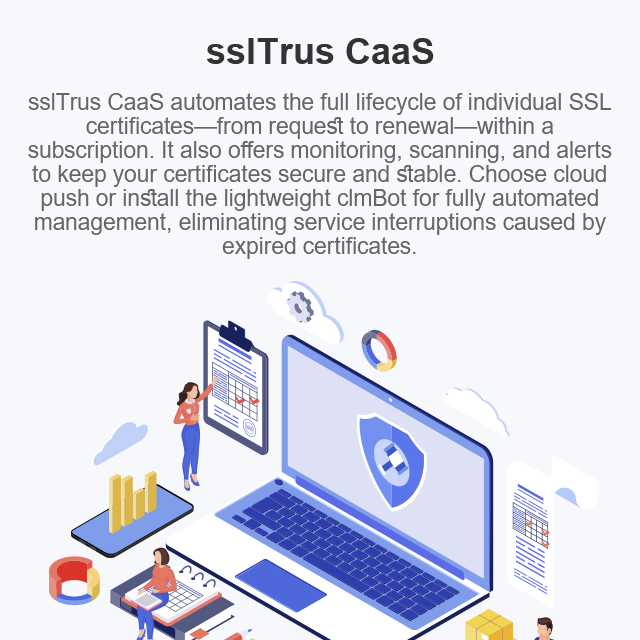


처리량이 적은 업무에 적합하며 무거운 플랫폼이 필요하지 않습니다. 낮은 진입 장벽의 구독으로 인증서 전 생애주기 전문 관리를 이용하세요.

구독 범위 안에서 인증서 신청, 갱신, 검증, 재배포가 자동으로 진행됩니다. 수동 작업이 전혀 필요하지 않으며 인증서 만료로 인한 서비스 중단 위험이 없습니다.

클라우드 전송 혹은 가벼운 에이전트를 선택해 모든 네트워크 및 보안 정책에 맞출 수 있으며 클라우드 호스트, 온프레미스 서버를 지원합니다.

통합 대시보드로 인증서 상태, 만료 검사, 규정 준수 확인이 가능하며 한눈에 전체 상황을 파악할 수 있습니다.
서버가 퍼블릭 클라우드, 프라이빗 클라우드 또는 격리된 인트라넷에 위치하든 상관없이 Agent 및 SDG 두 가지 보안 채널을 제공하여 개인 키가 서버 외부로 유출되지 않도록 보장하고 라스트 마일의 안전한 자동 배포를 지원합니다.
Agent는 서버에 배포되는 경량 클라이언트입니다. 클라우드 측 명령을 수신하고 인증서 다운로드, 저장, 웹 서버 구성 업데이트, 서비스 재시작 작업을 자동으로 수행합니다. 시스템 리소스를 매우 적게 소모하고 최소 권한으로 실행되며 서버를 공공 네트워크에 노출하지 않습니다.clmBot으로 CaaS 인증서 배포.
아웃바운드 네트워크 접속이 가능한 단일 서버 또는 소규모 배포 환경
SDG는 엄격하게 격리된 인트라넷 환경 전용 엣지 프록시 노드로, 클라우드와 내부 서버 클러스터 사이의 유일한 보안 연결 통로입니다. 단 하나의 아웃바운드 포트로 여러 인트라넷 서버의 인증서 트래픽을 중앙에서 프록시 처리합니다. 개별 서버가 공용 인터넷에 직접 연결할 필요가 없어 공격 표면을 크게 줄입니다.
보안 및 규정 준수 요구사항이 높은 다중 서버 인트라넷 클러스터
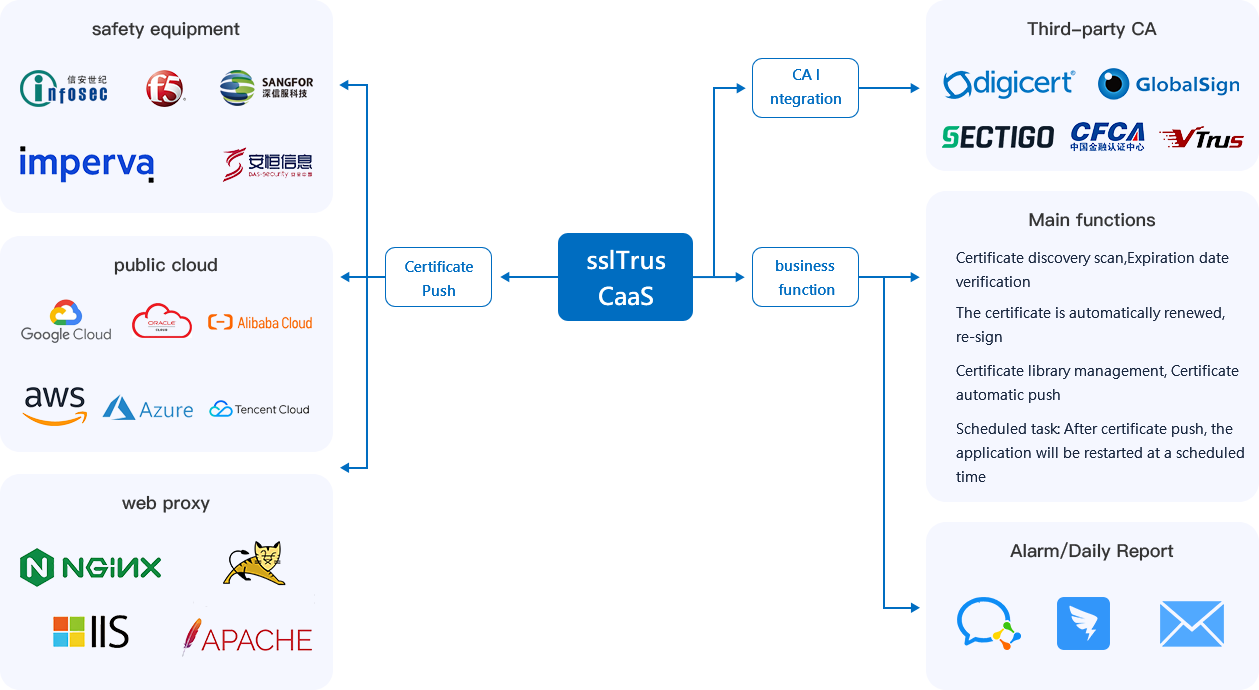















저용량 사용자를 위한 '서비스형 인증서' 제품입니다. 구독을 통해 SSL/TLS 인증서 수명주기(요청, 갱신, 배포, 모니터링)를 자동으로 처리합니다.
예. 인트라넷 서버에 당사의 경량 에이전트를 배포하세요. 클라우드에 안전하게 연결되어 명령을 수신하고 인증서를 자동으로 배포합니다.
플랫폼은 만료를 사전에 모니터링하고 CA에서 자동으로 갱신하며 사전 설정된 정책에 따라 새 인증서를 배포합니다—인간의 개입 없이.
DV 및 OV를 포함한 주류 유형. 지원되는 브랜드는 제품 페이지를 확인하세요. 지속적으로 업데이트됩니다.
아니요. 매우 가볍고 최소한의 권한으로 실행되며 암호화된 채널을 통해 통신합니다—추가 위험 없음.
물론입니다. 하나의 콘솔에 서버와 도메인을 추가하고 일괄 갱신/배포를 위한 통합 정책을 설정하세요—효율적인 원스톱 관리.
대시보드에는 유효성, 만료 카운트다운, 발급자 등이 표시됩니다. 알림(이메일/SMS)은 임박한 만료 또는 안전하지 않은 구성에 대해 알려줍니다.
아니요. 서버/도메인을 추가하고 기존 인증서를 가져오거나 새 인증서를 요청하세요—그러면 자동화가 시작됩니다. 간단합니다.
표준 Nginx/Apache/IIS 구성을 지원합니다. 사용자 정의 설정의 경우 콘솔에서 배포 후 명령/스크립트를 정의할 수 있습니다.
인증서 또는 서버 수에 따른 유연한 구독. 규모에 맞는 요금제를 선택하세요—사용하지 않는 기능에 대한 비용을 지불하지 않습니다. 자세한 내용은 가격 페이지를 참조하세요.
중국 고객은 sslTrus 중국 CaaS 페이지에서 제품 기능을 확인할 수 있습니다. 현지 구매, 배포 안내 및 기술 지원은 Racent의 SSL CaaS 서비스를 방문하세요.